Connector for Public Cloud IaaS Providers
Learn how to deploy CloudConnexa Network Connectors on public cloud IaaS providers — covers supported platforms (AWS, Azure, GCP), tunnel protocol options (OpenVPN or IPsec), and the VM configuration steps needed to enable IP forwarding and routing.
Overview
CloudConnexa uses Connectors to securely connect private infrastructure hosted with Infrastructure as a Service (IaaS) providers such as AWS, Microsoft Azure, and Google Cloud (GCP) to your WPC.
Connectors provide private network access between CloudConnexa users and your cloud-hosted resources — enabling secure remote access to applications running in AWS, Azure, or GCP without exposing them to the public internet.
Tip
Ready to deploy a Connector? Start with the IaaS Connector Tutorials for step-by-step deployment guides.
Connector types
CloudConnexa supports two types of Connectors.
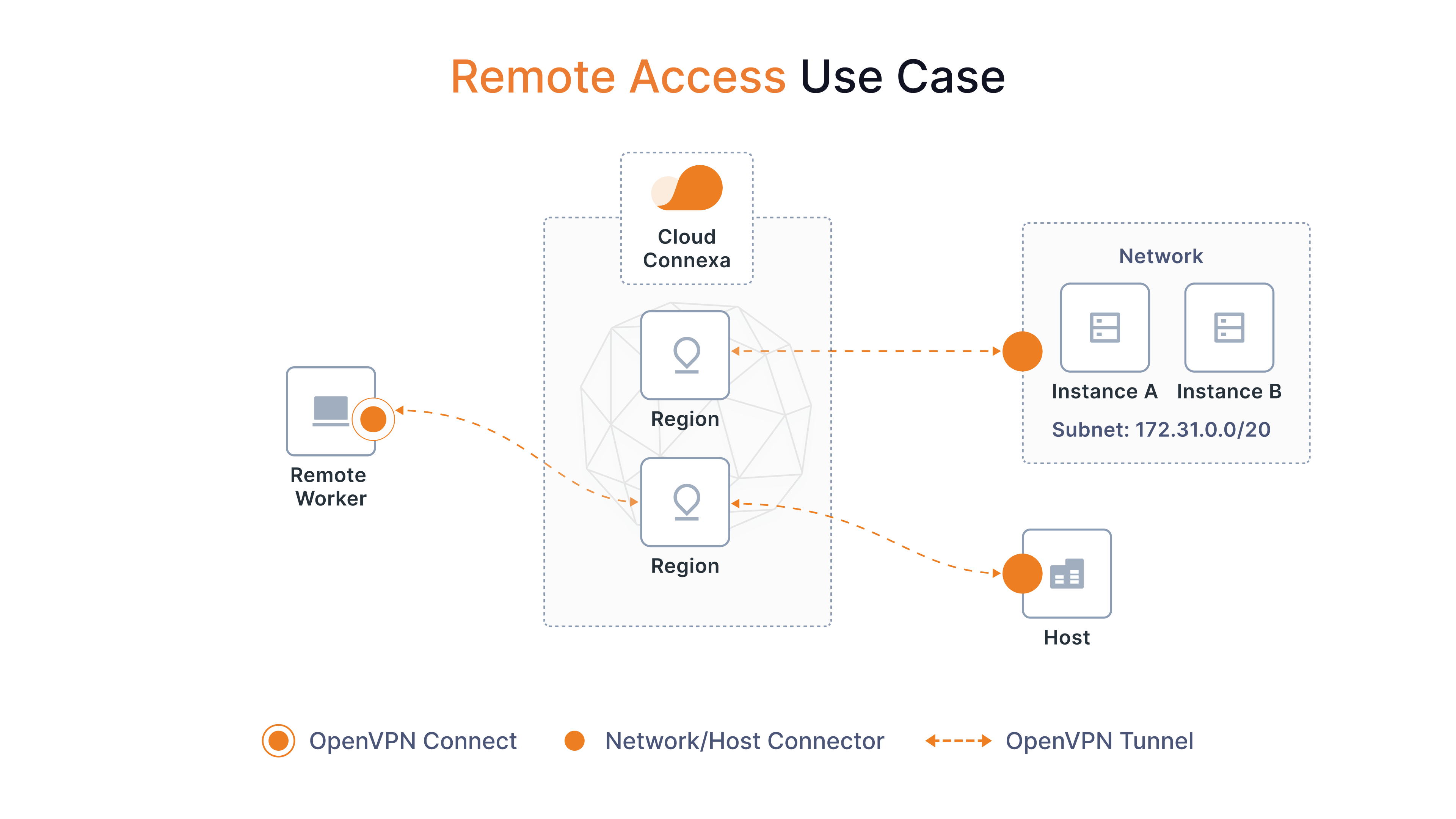
Network Connector
A Network Connector connects to an entire private network or cloud virtual network (VPC/VNet) to CloudConnexa.
It acts as a router between CloudConnexa and your network and can:
Provide access to private applications and IP services.
Provide outbound access from your network to CloudConnexa.
Optionally act as an internet gateway.
A Network Connector can connect to CloudConnexa in two ways:
OpenVPN tunnels — CloudConnexa deploys (or you deploy) a Connector on a VM in your cloud network. You manage the VM, and this tutorial's deployment and configuration steps apply.
IPsec tunnels — You configure a site-to-site IPsec connection from your cloud provider's native VPN gateway to cloudConnexa. There's no Connector VM for you to manage; see the IPsec tutorials for that path.
Host Connector
A Host Connector connects a single server to CloudConnexa rather than an entire network.
Typical examples include:
FTP servers.
Remote desktop servers.
NAS devices.
Application servers.
A Host Connector:
Provides access only to services running on that host.
Doesn't perform routing.
Supports OpenVPN tunnels only.
Network Connector requirements
When deployed as a virtual machine (VM) in an IaaS environment, a Network Connector must be able to route traffic between CloudConnexa and your cloud network.
Depending on the platform, CloudConnexa configures or enables:
IP forwarding
Network Address Translation (NAT)
routing
These capabilities allow the Connector VM to forward traffic between CloudConnexa and your private network.
Important
IP forwarding and NAT are required for Network Connectors because the Connector functions as a router. Host Connectors don't require these settings.
See also
Tutorial: Connecting Networks to CloudConnexa Using Connectors explains IP forwarding, NAT, static routes, and routing requirements in more detail.
Deployment options
Provider | Deployment options | CloudConnexa handles | Guides |
|---|---|---|---|
AWS | Generate a CloudFormation template from Deploy Connector, then launch it in AWS. | Generates the CloudFormation template and redirects you to the AWS console. You launch the template and complete the deployment in AWS. The template creates the EC2 instance, installs the Connector software, and configures routing. | |
Azure | Native: Sign in to Azure from CloudConnexa and deploy the Connector directly to your Azure account. Manual: Download the Azure Resource Manager (ARM) template and deploy it from the Azure portal. | Native: Deploys the VM and required resources, installs the Connector software, retrieves the Connector profile, and establishes the connection. Manual: Provides an ARM template that you deploy from the Azure portal. The template creates and configures the VM and required network resources, installs the Connector software, and connects it to CloudConnexa. | |
GCP | Native: Sign in to Google Cloud from CloudConnexa and deploy the Connector directly to your Google Cloud account. Manual: Provides the Connector configuration needed to complete deployment in Google Cloud. | Native: Deploys the Compute Engine VM, enables required networking settings, installs the Connector software, retrieves the Connector profile, and establishes the outbound connection. Manual: Provides the Connector configuration needed to complete deployment in Google Cloud. |
IPsec deployments
If your environment uses a hardware firewall, an on-premises VPN gateway, or a cloud provider's native VPN gateway (such as AWS, Azure, or GCP) instead of an OpenVPN Connector, CloudConnexa also supports IPsec Network Connectors.
Deployment guides include: