Fast and Easy Zero-Trust VPN Fully in Your Control.
High-speed connections with zero-trust controls, completely hosted in your environment.
 The #1 Business VPN
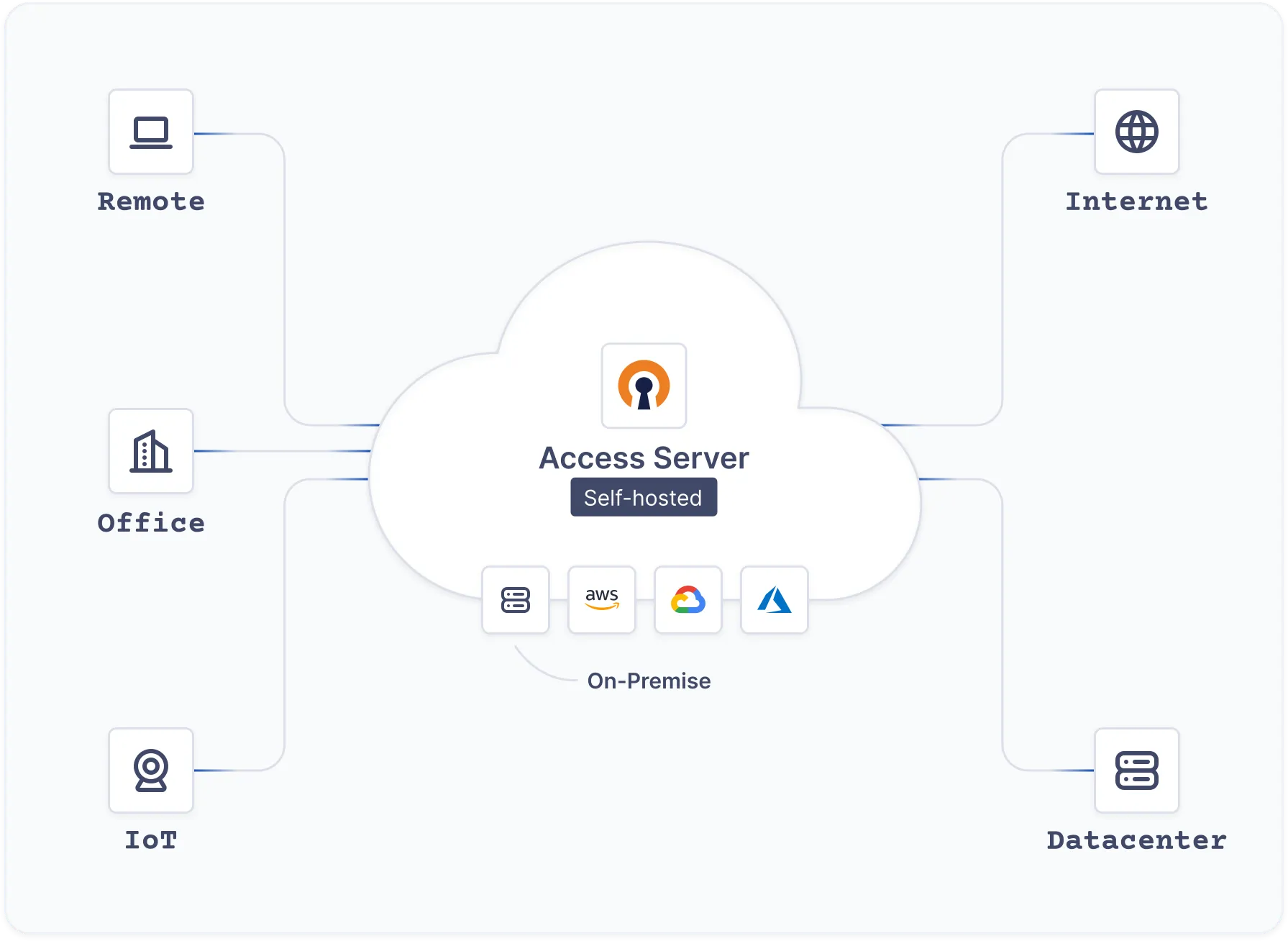
Trusted by 20,000+ organizations for over two decades.



























High-speed connections with zero-trust controls, completely hosted in your environment.
The #1 Business VPNOn Linux OS

On virtual appliances & Containers

On public clouds



Run it on a fresh Linux server. No account needed to install.
curl -fsS https://packages.openvpn.net/as/install.sh -o /tmp/as-install.sh
sudo bash /tmp/as-install.sh --yes
Works on Ubuntu, Debian, RHEL, Rocky Linux, AlmaLinux, and Amazon Linux. x86_64 everywhere, arm64 on Ubuntu.

Use root or sudo. The script adds the OpenVPN repository, installs Access Server, and turns on DCO.

Open https://<server-ip>:943/admin. The password for the openvpn user is in the install output.

Add your subscription key in the Admin Web UI. Without a key, Access Server allows two connections.
Copy this prompt into your AI assistant. It installs Access Server, creates a user, and gives you a ready-to-use VPN profile. If it can't run commands, it gives you the commands to run.
Set up an OpenVPN Access Server for me and give me a VPN connection profile I can
connect with. If you can run commands, do it; otherwise give me the commands to run.

FIRST, work out where it should go. Don't ask me unless none of these apply:
  - If I have a cloud CLI already authenticated (`gcloud auth list`, `aws sts
    get-caller-identity`, `az account show`), create a small Ubuntu 24.04 VM there
    (2 vCPU / 2 GB is plenty) with a public IP, and open inbound tcp 22, tcp 443,
    tcp 943 and udp 1194.
  - If I've mentioned a server I can SSH to, use that.
  - If I have Docker and no other option, use that.
Tell me which you picked before you start.

THEN install, on that Ubuntu/Debian/RHEL host, as root:

  curl -fsS https://packages.openvpn.net/as/install.sh -o /tmp/as-install.sh
  sudo bash /tmp/as-install.sh --yes {{--license=LICENSE_KEY}}

  This takes 3-6 minutes: a ~390 MB dependency downloads and a kernel module
  builds. It is not stuck. Do not kill it, and do not substitute a hand-written
  apt/yum repository. The repo hosts and package names have changed, and older
  procedures produce a server that looks healthy but is missing components.

  Capture the banner it prints. It contains the only copy of the admin password.

THEN configure:

  cd /tmp
  S=/usr/local/openvpn_as/scripts/sacli

  # 1. Point clients at an address they can actually reach. This defaults to the
  #    NIC's private IP, which on any cloud VM makes every profile unusable.
  sudo $S --key host.name --value "{{HOSTNAME_OR_PUBLIC_IP}}" ConfigPut
  sudo $S start

  # 2. Create the VPN user and a profile that connects without a password prompt.
  sudo $S --user {{USERNAME}} --key type --value user_connect UserPropPut
  sudo $S --user {{USERNAME}} --key prop_autologin --value true UserPropPut
  sudo $S --user {{USERNAME}} GetAutologin > {{USERNAME}}.ovpn

  (The command is `GetAutologin`. `AutoLogin` is a pre-3.x name and is rejected.)

FINALLY verify, and don't report success until these pass:
  - sudo $S status            -> "api", "web" and "openvpn_0" all "on"
  - the .ovpn file's `remote` lines show the public address, not 10.x/172.x/192.168.x
  - https://<address>:943/admin/ answers 200 (self-signed cert, so -k / accept warning)

One thing that will look like a fault and isn't: Access Server advertises tcp/443
and udp/1194 to clients, but the daemons listen on 914-917 with a firewall
redirect. `ss -tlnp | grep :443` returning nothing is normal and correct. Don't
"fix" it and don't repoint the profile at 914. That breaks real clients. It also
means a VPN client running on the server itself can't connect; test from elsewhere.

When you're done, tell me: the admin URL and password, where the .ovpn file is,
and anything I still need to do myself. Zero-trust controlsEnhanced security through multi-dimensional verification factors.

 Mix & match authenticationChoose from various methods: PAM, RADIUS, LDAP, SAML, local, or custom.



Easy to configure options, add users, and that it has two factor authentication built in. You can configure the system to allow connections on common ports so that you're able to connect from pretty much anywhere in the world.

Configuring and updating my own server is super simple. In my experience, I've always had some difficulty setting up hardware VPN appliances, but OpenVPN was no-nonsense.

The OpenVPN Access Server AMI is a great out of the box VPN solution for your AWS VPC...

OpenVPN offers users a very simple and secure VPN option that is both economical and quick to install. Users are able to easily install it on their client devices.

The availability of client software for all operating systems and mobile devices means my customers can connect regardless of their setup.

Excellent, flexible solution for our Azure environment.
 SOC 2 Type 2
 ISO/IEC 27001:2022
 HIPAA Compliant
 GDPR Compliant