Tutorial: Configure DataDog for CloudConnexa Log Streaming
DataDog configuration can be done using the Serverless setup in which an AWS Lambda function reads from the AWS S3 Bucket and writes log messages to HTTP(S) DataDog endpoints.
Prerequisites
Your AWS S3 bucket is configured as per Tutorial: Configure AWS S3 bucket for CloudConnexa Log Streaming
Your AWS S3 bucket is configured in the Log Streaming section of the CloudConnexa Administration Portal without errors.
Configure
Install DataDog Forwarder Using CloudFormation
On the AWS stack configuration screen, specify your AWS S3 bucket name, DataDog endpoint, DataDog API key, and any other optional parameters as required.
Screenshot of CloudFormation Stack Configuration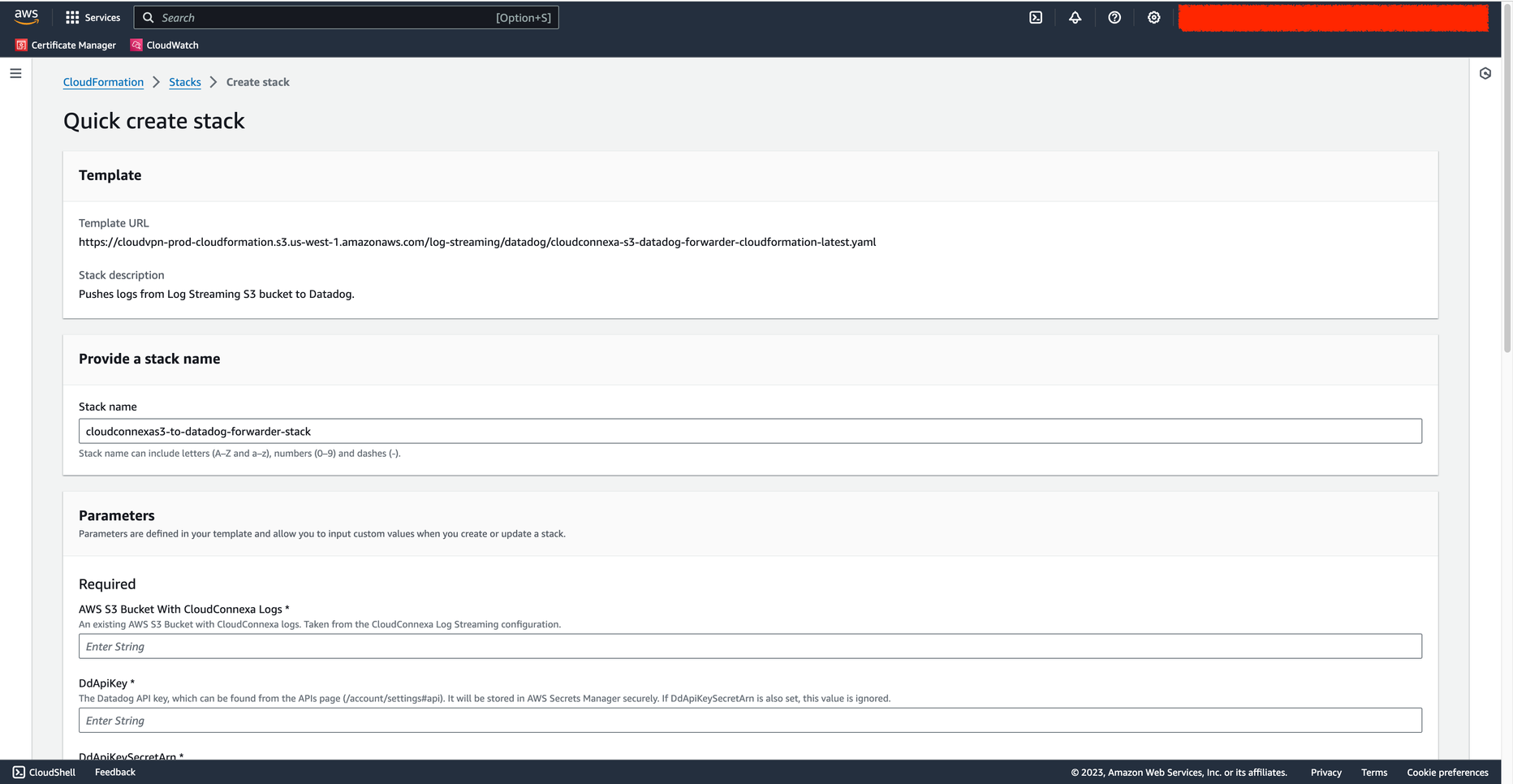
Wait until the Lamda function is ready for use.
Test
Navigate to API & Logs > Log Streaming and click Send Test Message.
Screenshot of Log Streaming showing the 'Send Test Message' button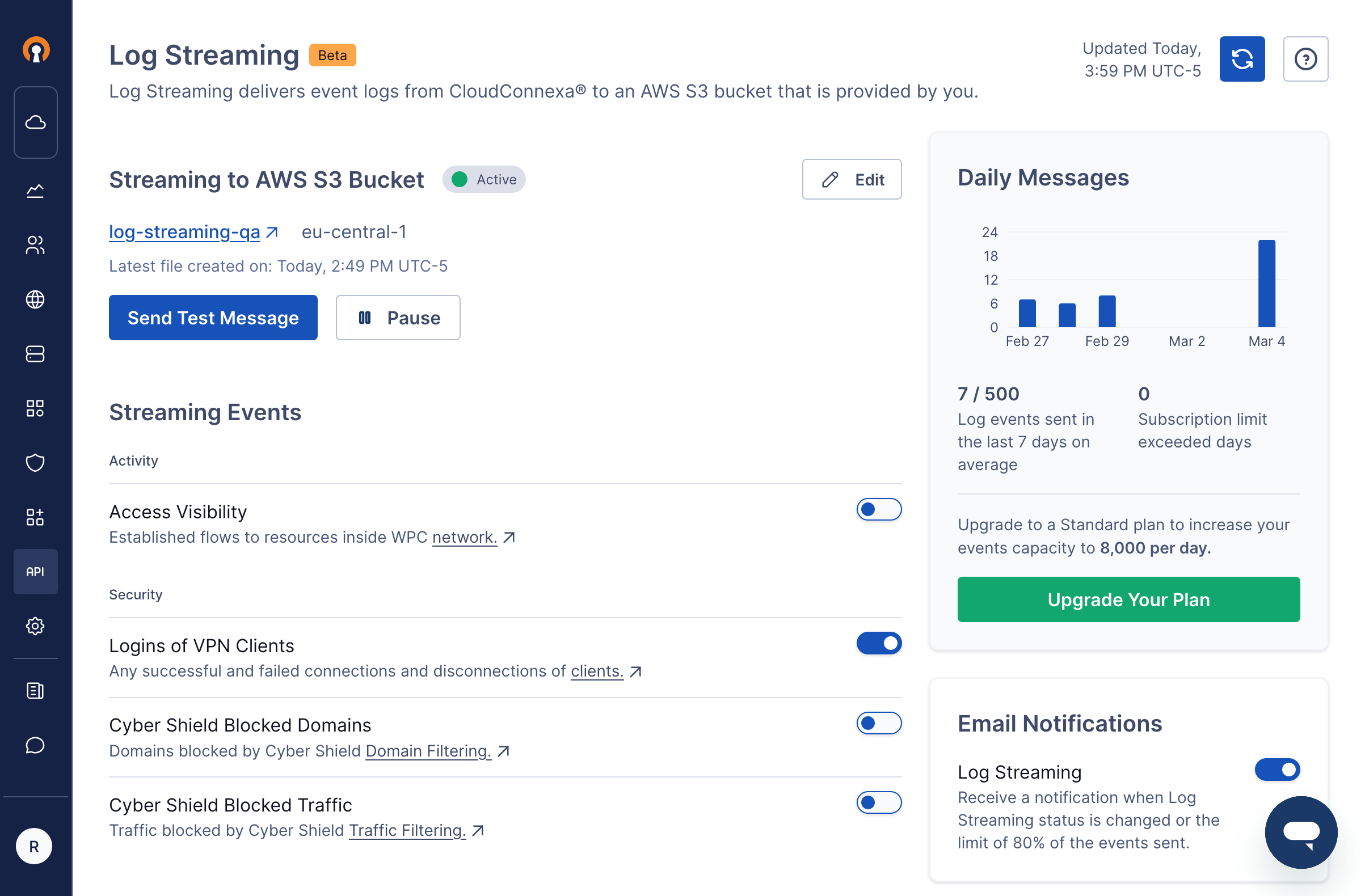
Check that a log file is written to your AWS S3 bucket in response to requesting that a test message be sent in the prior step. The log will appear as
<S3Bucket>/CloudConnexa/<account id>/<hexid>-<YYYY>-<MM>-<DD>-<HH>-<MM>-<xxxx>.jsonl.gzScreenshot of log files in the AWS S3 bucket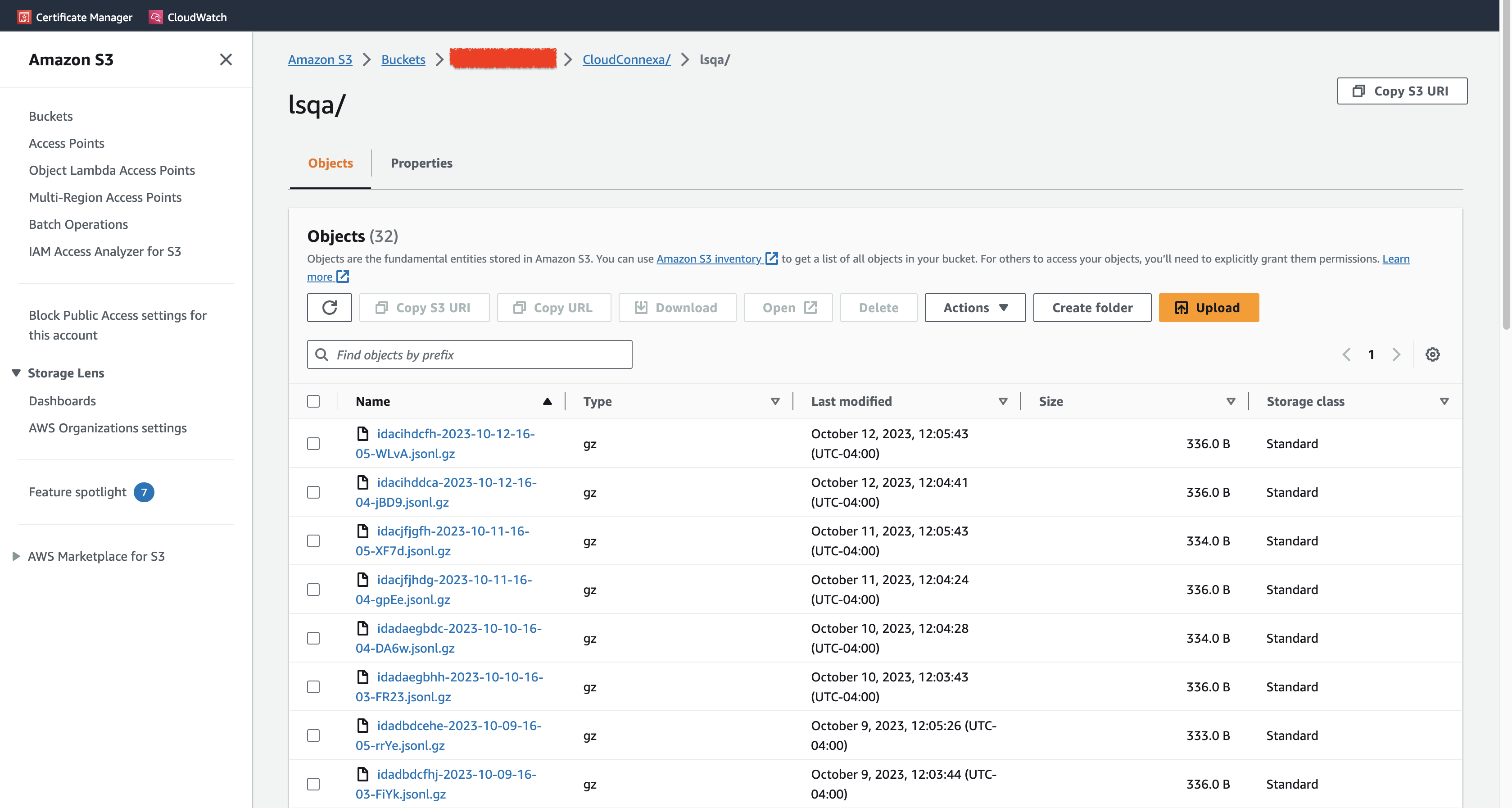
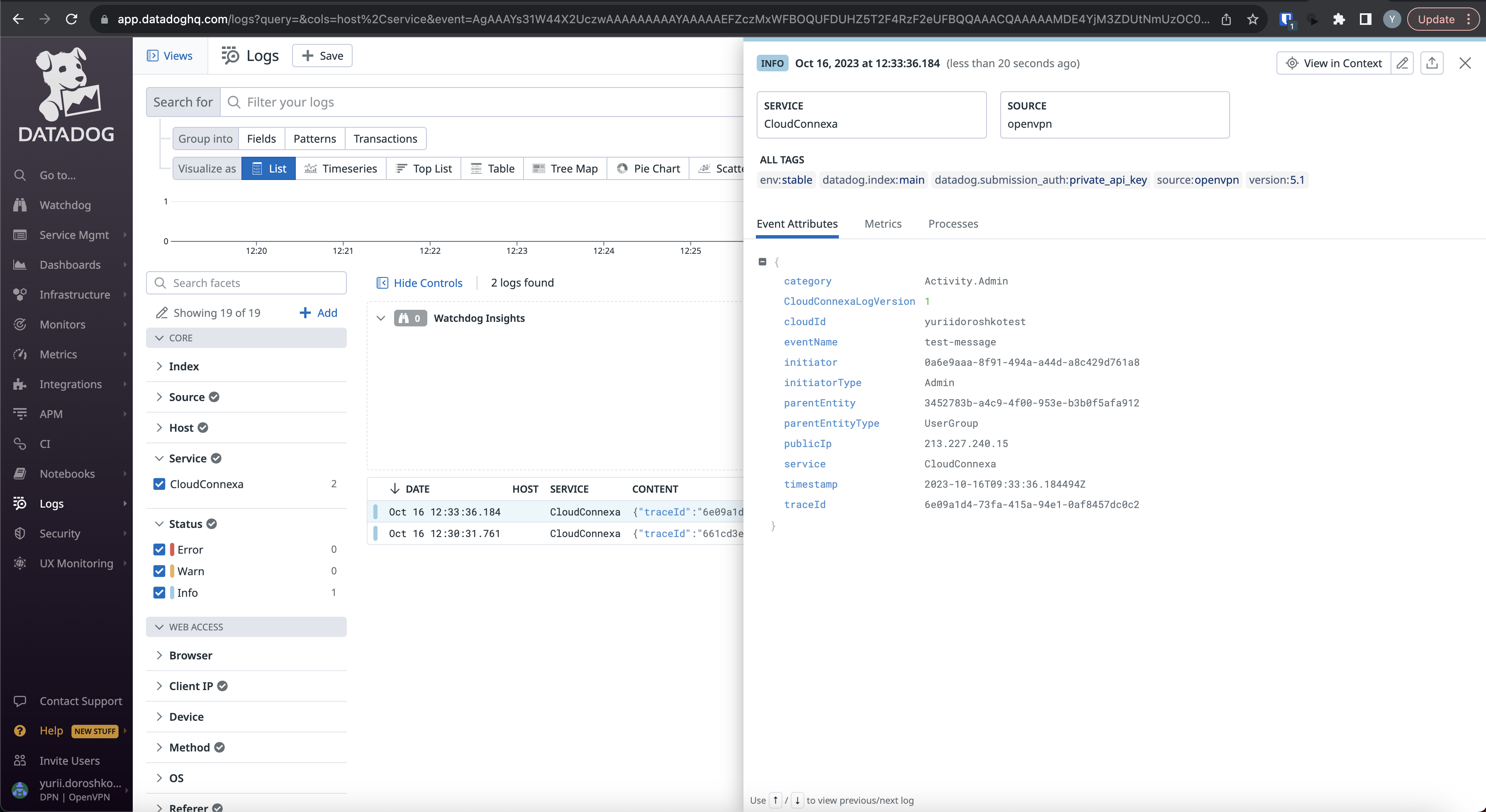
Events from the
*.jsonl.gzfiles are parsed by the Lambda function and sent to DataDog. You can find it in the Logs section.Screenshot of a parsed event in DataDog