Tutorial: Configure AWS S3 bucket for CloudConnexa Log Streaming
CloudConnexa Log Streaming writes logs to your AWS S3 bucket. Your SIEM or other log collection systems can then ingest these logs.
A properly configured S3 bucket with access policies that allow OpenVPN's AWS Account write permissions is required to operate CloudConnexa Log Streaming properly.
To properly configure an AWS S3 bucket for Log Streaming, follow the steps below:
Create an AWS S3 bucket using instructions from AWS.
Provide permissions for the
PutObjectandListBucketactions to be carried out on your S3 bucket by us by adding the policy statement below to your AWS S3 bucket policies configuration.{ "Version": "2012-10-17", "Statement": [ { "Effect": "Allow", "Principal": { "AWS": "*" }, "Action": [ "s3:PutObject", "s3:ListBucket" ], "Resource": [ "arn:aws:s3:::<bucketName>/*", "arn:aws:s3:::<bucketName>" ], "Condition": { "ArnEquals": { "aws:PrincipalArn": "arn:aws:iam::444663524611:role/connexa-log-streaming-role" } } } ] }Screenshot of AWS S3 Bucket policy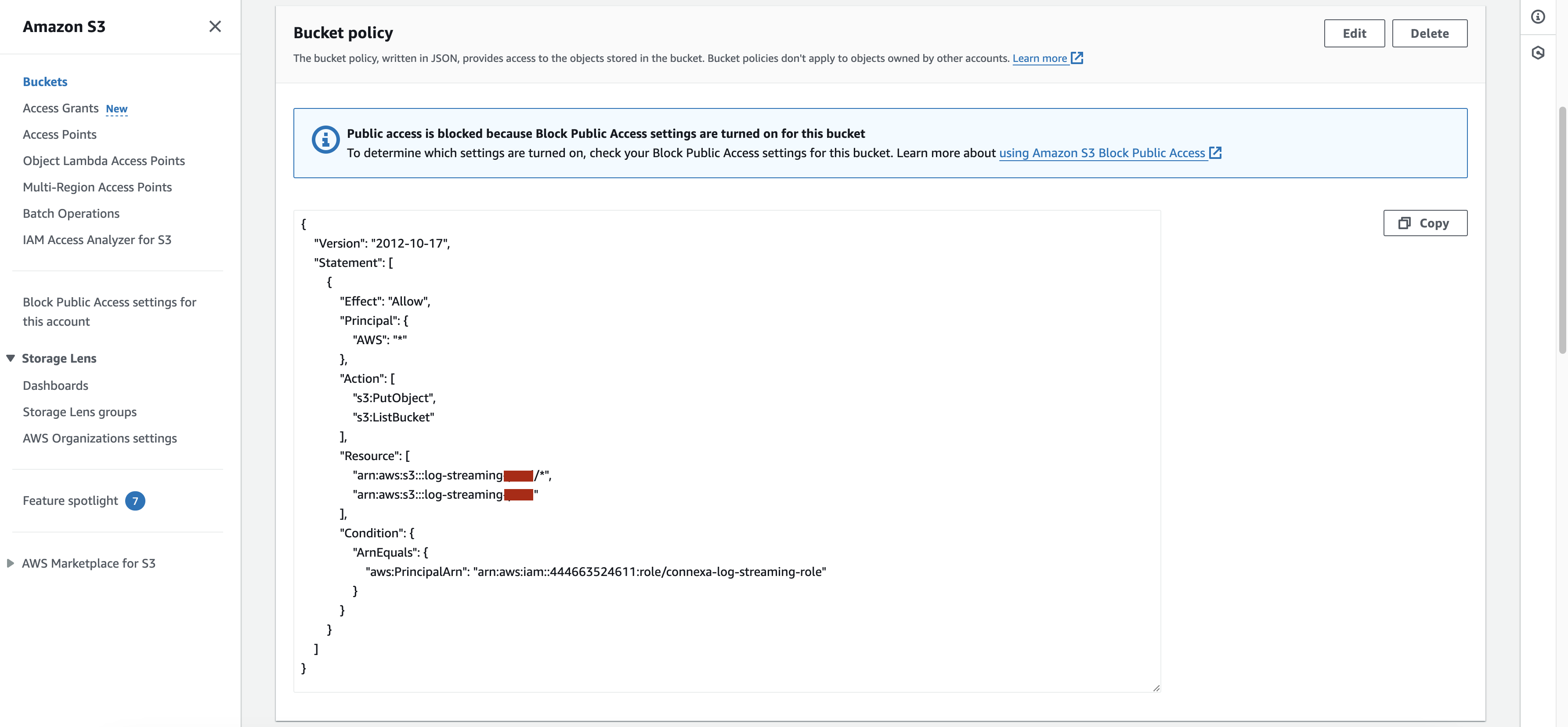
Set up automatic removal of old files if you don't want the log files written by CloudConnexa to remain in the S3 bucket forever. Refer to AWS documentation on bucket lifecycle configuration.
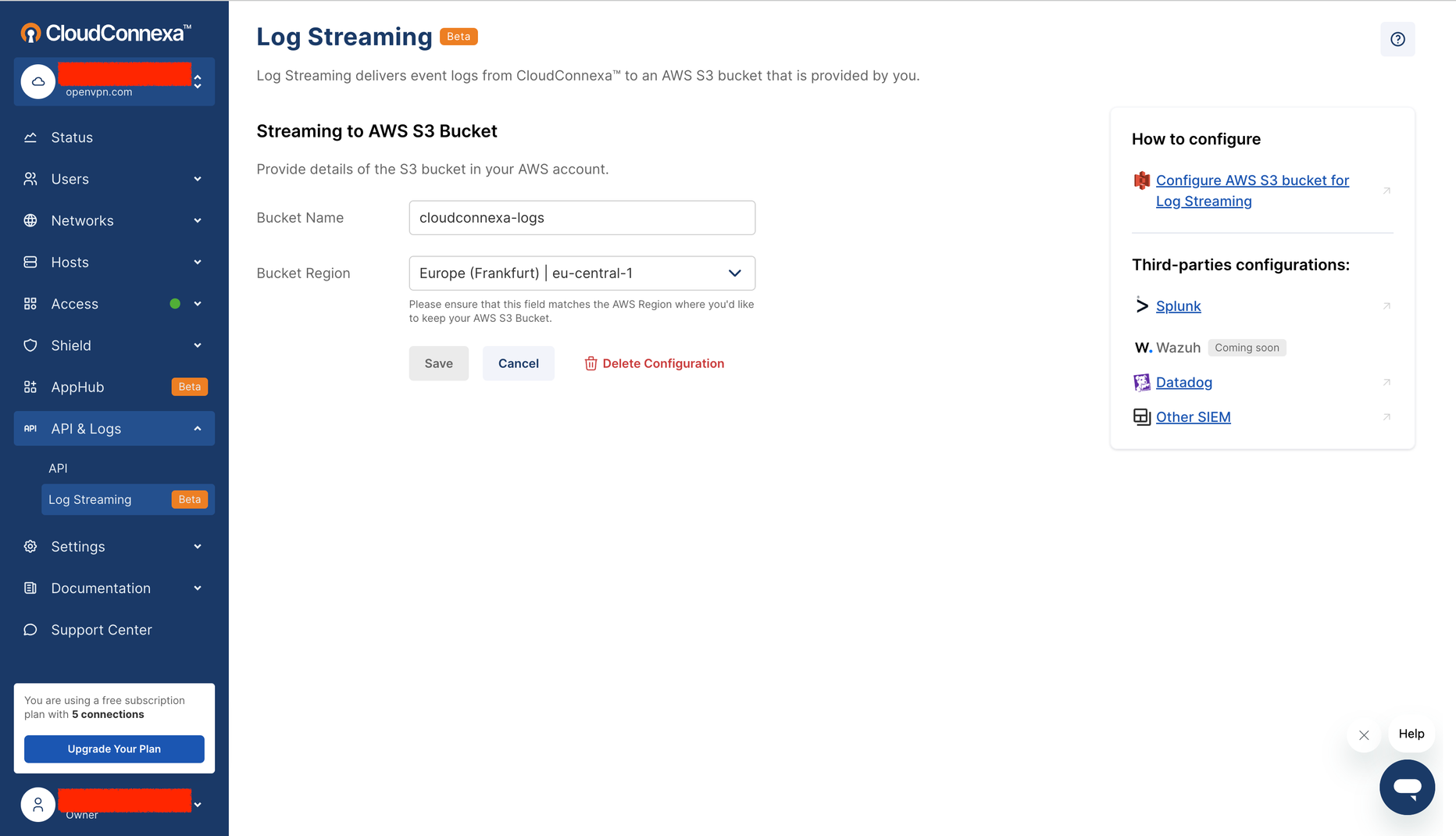
Now, you are ready to use the AWS Region and the AWS S3 bucket name of the bucket you just configured to set up CloudConnexa Log Streaming.
Screenshot of the AWS S3 bucket configuration showing the Bucket Name and AWS Region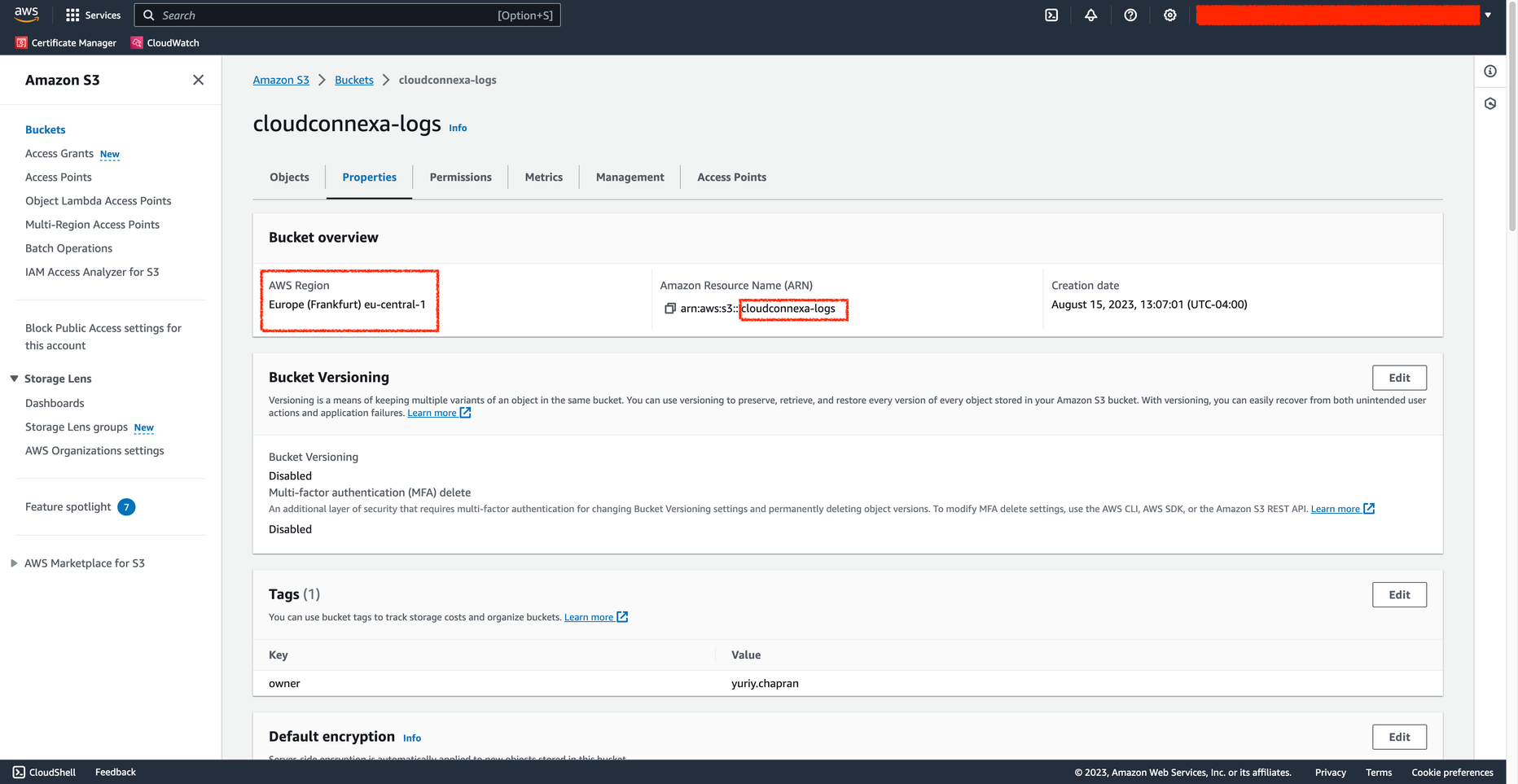 Screenshot of the CloudConnexa Portal with Log Streaming configured with the above AWS S3 Bucket details