About DNS Log
DNS Log provides Administrators with reports and statistics on DNS requests made by all Users, Networks, and Hosts. Aggregated statistics are available at both the registered domain and subdomain levels. Subdomain resolution logs detail when and by whom the requests were made. The log includes information about the resolved IP addresses and whether the requests were blocked or failed.
Principle of Operation
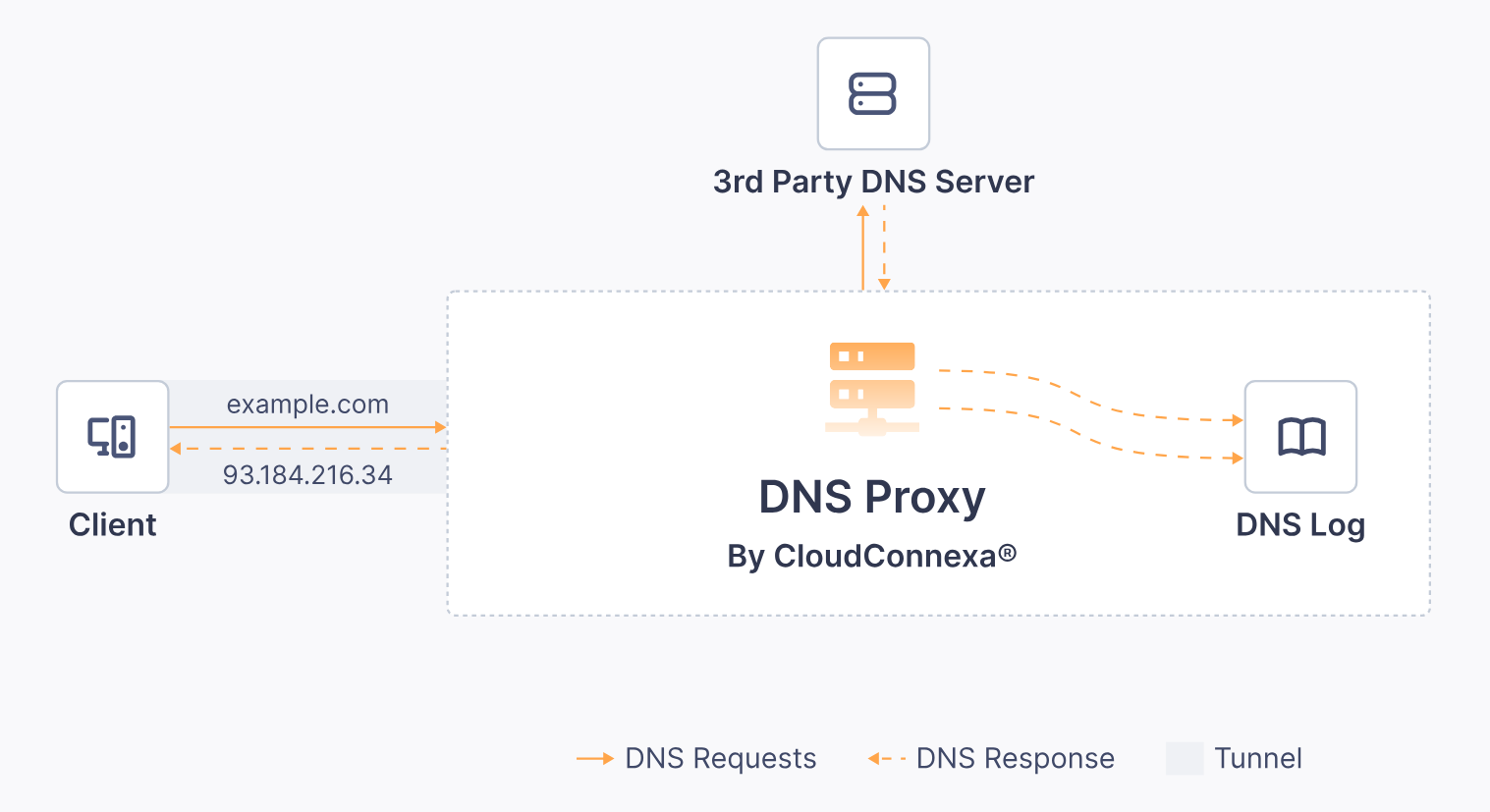
When an OpenVPN tunnel is set up to your WPC, CloudConnexa pushes its DNS servers to be used for DNS requests. All DNS requests made by the connected client are securely sent to the CloudConnexa DNS servers through the tunnel regardless of whether actual data traffic to the resolved IP addresses flow through the tunnel or not (see split-tunnel setting, Change Internet Access ).
Once the CloudConnexa DNS server receives the request, it will send back one or more IP addresses by matching the domain to:
One of the locally configured DNS records. Refer to DNS Records.
Configured Host and Network application domain names. Refer to About Application Domain-Based Routing
Proxying to configured Private DNS servers or making use of public internet DNS servers. Refer to DNS Servers. When Cyber Shield is active, the domain will be matched against the Cyber Shield domain filtering categories, Block list, and Allow list. Refer to About Cyber Shield.
Logs of all these DNS requests are aggregated and presented in the DNS log section. To view them navigate to Logs & API > DNS Log.