
Tutorial: Enable DCO for a Windows Connector
Data Channel Offload (DCO) improves the OpenVPN tunnel's performance by moving data packet processing from the OpenVPN userspace program to the kernel. You can enable DCO for your Windows Connector by following the steps below:
Disconnect the connection.
Navigate to Menu > Settings.
Expand Advanced Settings.
Click on the Enable DCO checkbox.
Screenshot of OpenVPN Connect 3.4.3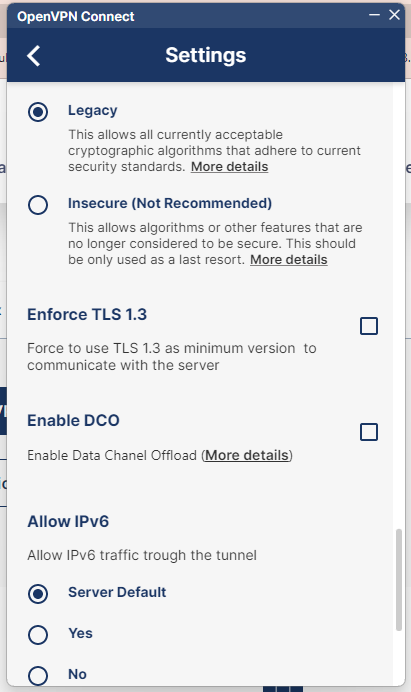
Reconnect.