
Tutorial: Secure Access to code-server or OpenVSCode Server Without Exposing It to the Internet
Overview
Self-hosted development environments such as code-server and OpenVSCode Server let you run Visual Studio Code on a remote Linux server and access it from any device via a web browser.
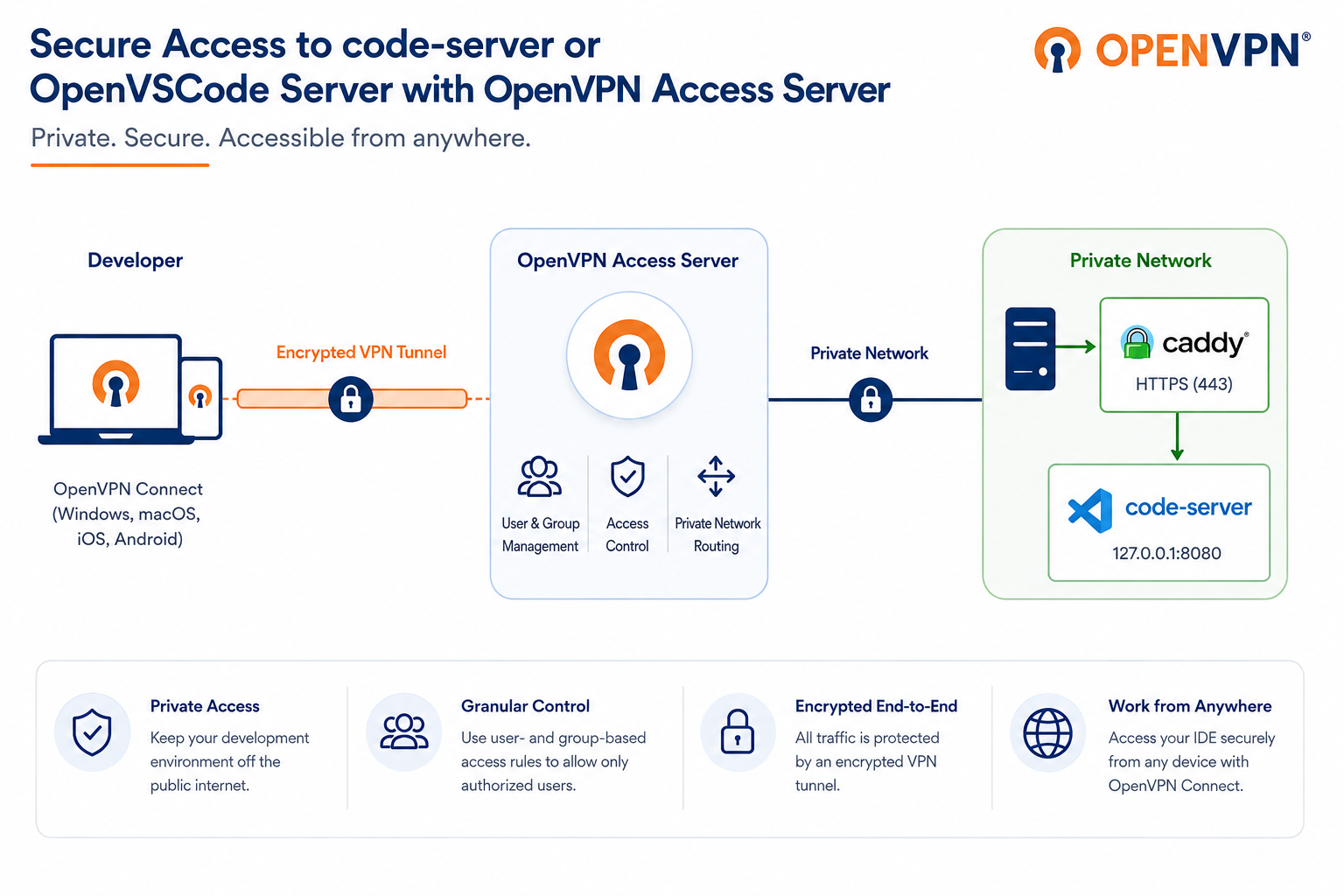
Because these applications provide direct access to your development environment, they shouldn't be exposed directly to the public internet. Traditional deployments often require reverse proxies, public DNS records, firewall rules, and additional authentication layers to secure access.
With OpenVPN Access Server, you can keep your development environment private by making it accessible only through an authenticated VPN connection. Access Server also lets you control who can access the server using user- and group-based access rules. For example, you can allow only members of your Developers group to reach the code-server host while preventing access from other VPN users.
In this tutorial, you'll:
Deploy code-server on a Linux server.
Configure Caddy as an HTTPS reverse proxy.
Restrict access with an Access Server group access rule.
Connect securely with OpenVPN Connect.
Verify that code-server is available only through the VPN.
Prerequisites
Access Server 3.1.0 or newer to use domain routing.
An Access Server user group called Developers.
A Linux server where code-server will be installed.
The Linux server must be on the same private network as Access Server or be reachable via subnet routing.
Administrative access to the Linux server.
OpenVPN Connect on the developer's device.
Result
You now have a self-hosted development environment that:
Runs privately on your network.
Uses Caddy to provide HTTPS.
Is reachable only through an authenticated VPN connection.
Limits access to members of the Developers group.
Doesn't require exposing the code-server service itself to the internet.