
TLS Control Channel Security in Access Server | OpenVPN
This topic details how TLS control channel security works in Access Server, how to change the TLS control channel security used by the server and clients, and the impact of making these changes.
TLS control channel overview
The OpenVPN protocol uses two communication channels during a VPN session:
The control channel: handles authentication, key negotiation, and configuration.
The data channel: encrypts and transports packets.
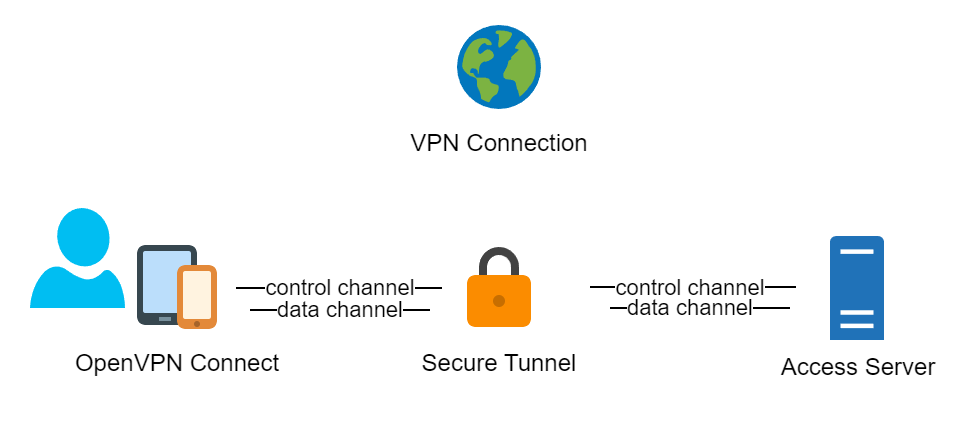
Access Server 2.9 and newer uses TLS Auth, TLS Crypt, or TLS Crypt v2 to secure the control channel. For a new installation using Access Server 2.9 and newer, TLS Crypt is used by default. While it may be preferable to use TLS Crypt v2 for security reasons, TLS Crypt is the default for compatibility reasons.
TLS Auth
TLS Auth secures the control channel by signing and verifying the packets with a shared group key. If the pre-shared keys are kept secret, it provides protection against TLS-level attacks with post-quantum resistance.
TLS Crypt
TLS Crypt improves upon TLS Auth by adding symmetric encryption to the control channel. This extra layer of encryption applies even to the key exchange before the TLS session starts. Like TLS Auth, it also provides protection against TLS-level attacks with post-quantum resistance if the pre-shared keys are kept secret.
TLS Crypt v2
TLS Crypt v2 improves on TLS Crypt by using a unique key per connection profile.
Access Server 2.9 and newer can generate and accept TLS Crypt v2 connection profiles even if the TLS control channel security level is set to TLS Auth or TLS Crypt. OpenVPN Connect v3.2 and newer can use TLS Crypt v2, and the installers that Access Server provides for macOS and Windows contain TLS Crypt v2 profiles. OpenVPN Connect v3.3 and newer obtains TLS Crypt v2 profiles by default when importing a profile with the import from URL function in the app. For compatibility reasons, the default profile downloaded from the Client Web UI adheres to the TLS control channel security setting configured in Access Server because not all OpenVPN client versions support TLS Crypt v2.
Changing the TLS control channel security setting
You can configure the TLS control channel security in the Admin Web UI or the command line.