
Working with Access Server's Configuration Database
Access Server stores configurations in SQLite database files. You can also migrate to a MySQL-type database, but the SQLite database files are the default setup.
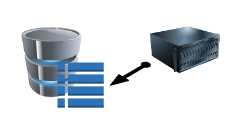
When you modify your Access Server setup in the Admin Web UI or with a command-line tool, you update the configuration and these database files.
Default configuration file locations
The default locations of the configuration files are as follows, depending on your version of Access Server.
In Access Server versions before release 2.6.1:
Global server configuration: /usr/local/openvpn_as/etc/db/config.db
Server and client certificates: /usr/local/openvpn_as/etc/db/certs.db
User and group properties: /usr/local/openvpn_as/etc/db/userprop.db
Log database: /usr/local/openvpn_as/etc/db/log.db
Debug and low level settings: /usr/local/openvpn_as/etc/as.conf
These were added since Access Server 2.6.1:
Local server node configuration: /usr/local/openvpn_as/etc/db/config_local.db
Cluster configuration: /usr/local/openvpn_as/etc/db/cluster.db
Cluster notification system: /usr/local/openvpn_as/etc/db/notification.db
How to view the current server configuration
You can list your current server's configuration, user and group properties, and specific properties for users and groups with the command-line tool sacli.
Configuration for authentication modes
The user configuration is stored differently depending on your authentication mode. This tutorial helps you determine where to find user and group properties.
Back Up Access Server's Configuration
It's a security best practice to create regular backups of your configuration. We also recommend it before upgrading or migrating to a new server. Follow this tutorial to create backups of your SQLite 3 database files.
Recover Access Server with backup files
Should you need to recover an Access Server from a backup point or migrate to a new server, refer to this tutorial for the commands to restore from backup files:
Recover damaged database configuration files
Suppose your Access Server uses the default SQLite3 database files on a single node, and they've become managed. Refer to our troubleshooting page:
Use ConfigReplace for manual configuration edits
Access Server 2.10.1 and newer supports a command, ConfigReplace, which allows you to upload configuration changes in one file, and Access Server imports those changes to the correct configuration files.
Change the database backend
Access Server can store configuration in MySQL-type database systems such as Amazon RDS, MySQL, and MariaDB.
You can follow one of the below tutorials to switch to a database server using the Admin Web UI or the command line:
OS vs RDBMS Compatibility (Access Server 3.2.x)
Compatibility validated against representative patch releases within each version family.
OS | MySQL 5.7.x | MySQL 8.0.x | MySQL 8.4.x | MySQL 9.x | MariaDB 10.11.x | MariaDB 11.x |
|---|---|---|---|---|---|---|
Ubuntu 22.04 (x86_64) | ✓ | ✓ | ✓ | ✓ | ✓ | ✓ |
Ubuntu 22.04 (ARM64) | ✓ | ✓ | ✓ | ✓ | ✓ | ✓ |
Ubuntu 24.04 (X86_64) | ✓ | ✓ | ✓ | ✓ | ✓ | ✓ |
Ubuntu 24.04 (ARM64) | ✓ | ✓ | ✓ | ✓ | ✓ | ✓ |
Ubuntu 26.04 (X86_64) | X | ✓ | ✓ | ✓ | ✓ | ✓ |
Debian 12 | ✓ | ✓ | ✓ | ✓ | ✓ | ✓ |
Debian 13 | ✓ | ✓ | ✓ | ✓ | ✓ | ✓ |
Red Hat 8 | ✓ | ✓ | ✓ | ✓ | ✓ | ✓ |
Red Hat 9 | ✓ | ✓ | ✓ | ✓ | ✓ | ✓ |
Red Hat 10 | ✓ | ✓ | ✓ | ✓ | ✓ | ✓ |
Some RHEL releases shipped with MariaDB C and ODBC connector builds that exhibited compatibility issues. These have been resolved through subsequent updates or documented configuration adjustments. Refer to the MariaDB connector documentation for version-specific details.
Manually change the database backend to a relational database such as MySQL or RDS
Access Server can store configuration in MySQL-type database systems such as Amazon RDS, MySQL, and MariaDB.
By default, Access Server creates configuration files in a SQLite3 database on the server. This tutorial shows you how to convert to a separate database server.
Set up an SSL connection to MySQL or AWS RDS
With Access Server 2.9.0 and newer, you can make an encrypted connection to MySQL or AWS RDS servers.
Reset Access Server's configuration
To reset Access Server to a clean slate, use the ovpn-init tool.
If you need a quick command reference, you can run:
ovpn-init --helpActive fixed license keys remain on the server. Since these are single-activation licenses (unlike subscription licenses), they aren't removed when the configuration is wiped.
After running this command, Access Server returns to an uninitialized state. The setup wizard runs again the next time you connect to the server terminal.