
Tutorial: Restrict SaaS Login Access Using Domain Routing and an IP Allowlist
Overview
Many organizations use SaaS applications, such as Salesforce, Zendesk, or Microsoft 365, and want to ensure that employees can sign in only from known, controlled IP addresses. Requiring VPN connectivity before accessing these tools reduces the risk of credential theft and unauthorized access from unmanaged devices or networks.
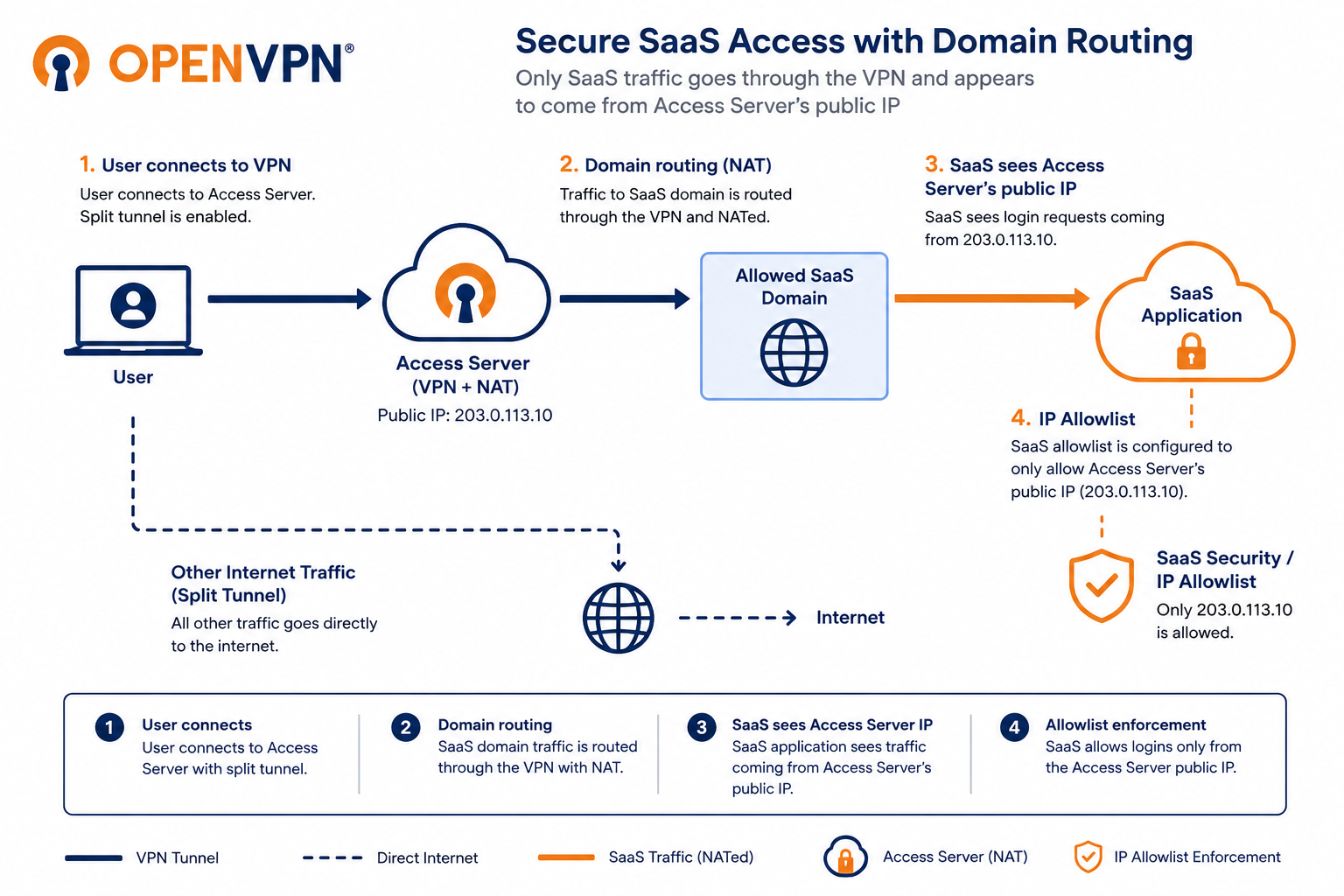
This tutorial shows you how to use Access Server's domain routing feature to route only SaaS application traffic through the VPN, while leaving all other internet traffic on the user's local connection. By routing SaaS traffic through Access Server using NAT, all login attempts to your SaaS applications appear to come from Access Server's public IP address, which you can then allowlist in your SaaS provider's security settings.
You can apply domain routing rules globally, per group, or per user. This allows you to enforce role-based access controls and restrict access to specific SaaS applications based on user or group membership. For example, the Sales group can access Salesforce, while only the Support group can access Zendesk.
Prerequisites
Access Server 3.1.0 or newer.
Admin Web UI access.
DNS server proxy enabled globally.
Split tunnel access configured for the users who will access the SaaS application.
The domain names used by your SaaS application. For example,
salesforce.comorzendesk.com. Check your SaaS provider's documentation for the full list of domains. You can also use wildcard domains, such as*.salesforce.com.Your Access Server's public IP address. You'll use this address when configuring the IP allowlist in your SaaS provider.