Tutorial: Configure Full and Split Tunneling in Access Server
Overview
This tutorial explains how to configure full and split tunneling in Access Server.
You'll learn:
How tunneling works.
How to configure it globally.
How to override settings for specific users and groups using both the Admin Web UI and CLI.
Prerequisites
Access Server installed and running.
Admin Web UI access.
Root access to the Access Server console (for CLI steps).
How full and split tunneling work in Access Server
Access Server uses two OpenVPN directives to control traffic routing:
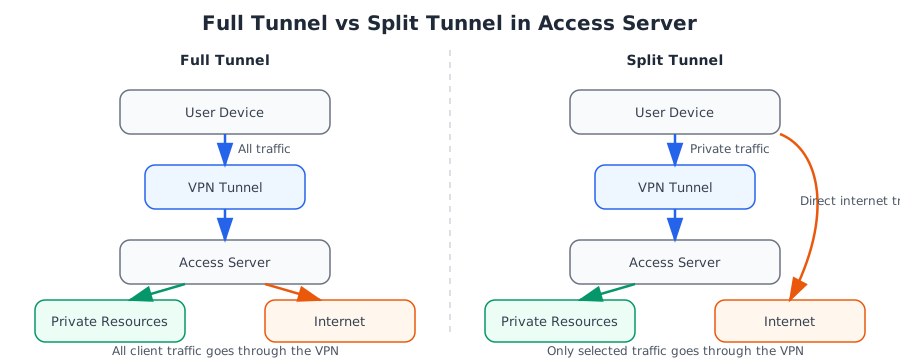
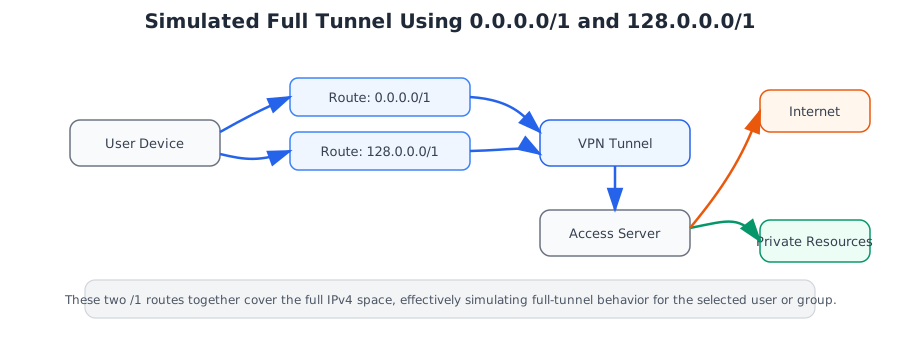
redirect-gateway: Sends all client traffic through the VPN (full tunnel).
redirect-private: Routes only specific private subnets through the VPN while other traffic uses the client's local internet connection (split tunnel).
By default, full tunneling is configured globally and can be overridden at the user or group level.