
VMware ESXI VPN Server Appliance Quick Start Guide

We deliver Access Server for VMware ESXi as an OVA archive file for deployment on ESXi.
The Access Server ESXi appliance is based on Ubuntu 24.04 LTS.
The appliance includes ESXi-compatible guest support software.
It is preconfigured for 2GB of RAM, 50GB disk, and 2 vCPUs.
The appliance is delivered as an open virtual appliance (OVA).
Requires ESXi 6.5 or newer (virtual hardware version 13).
This guide provides the steps to deploy the open virtual appliance (OVA) on an ESXi hypervisor server and then start using the Access Server web interface.
🖥️ Download the Access Server open virtual appliance (OVA)
Follow the steps below to download the Access Server ESXi OVA file for deployment on your ESXi server.
Sign in to the Access Server portal on our website. If you don't have a free account, create one.
Click Install Access Server and click VM.
The VMWare ESXi tab displays.
Click the download button, Download OVA.
Download the OVA file.
Below is a series of screenshots of a typical deployment process on an ESXi server. These are based on ESXi 6.5. If you have a newer version the process may be slightly different.
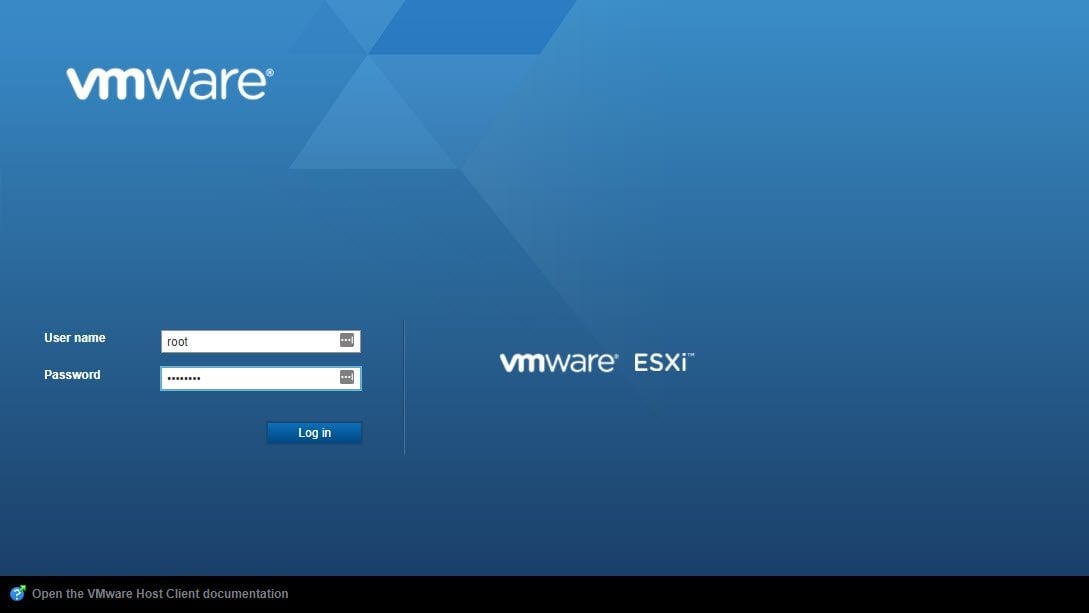
Sign in to the VMWare ESXi web interface:
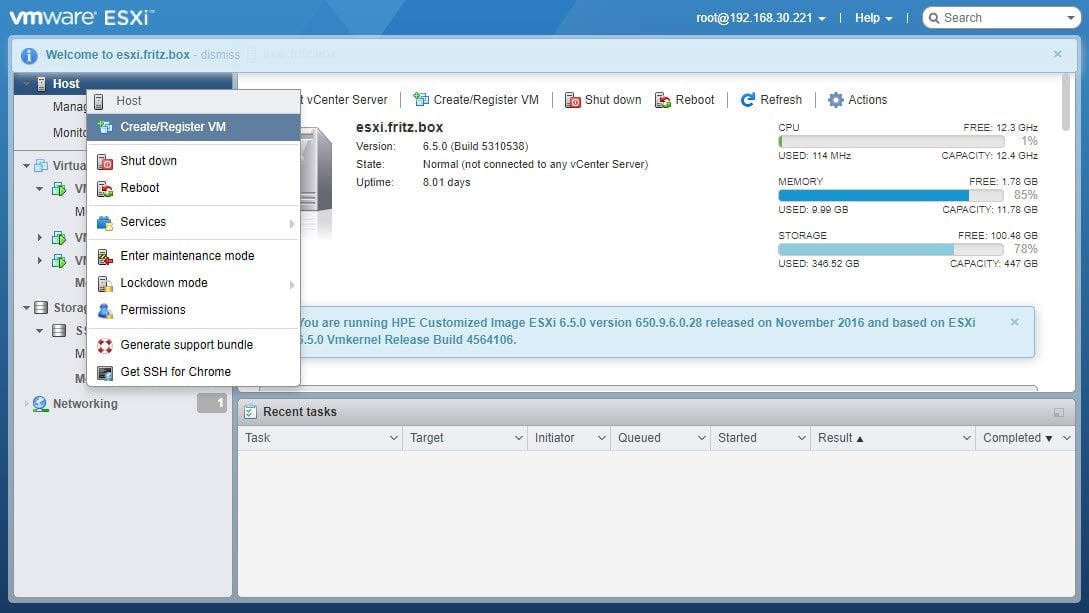
Right-click Host and select Create/Register VM:
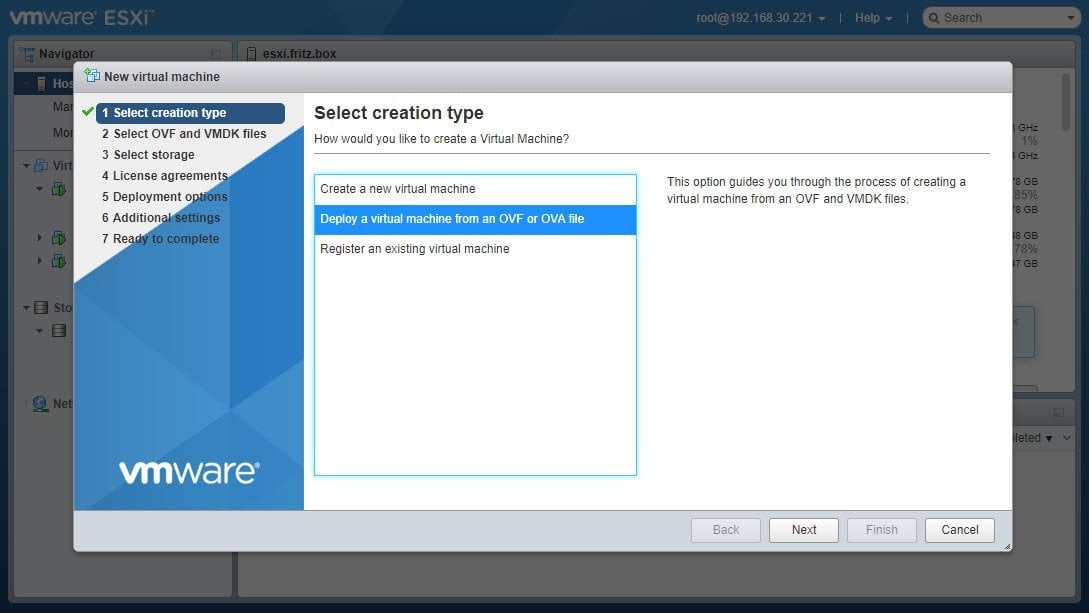
Click Deploy a virtual machine from an OVF or OVA file and click Next:
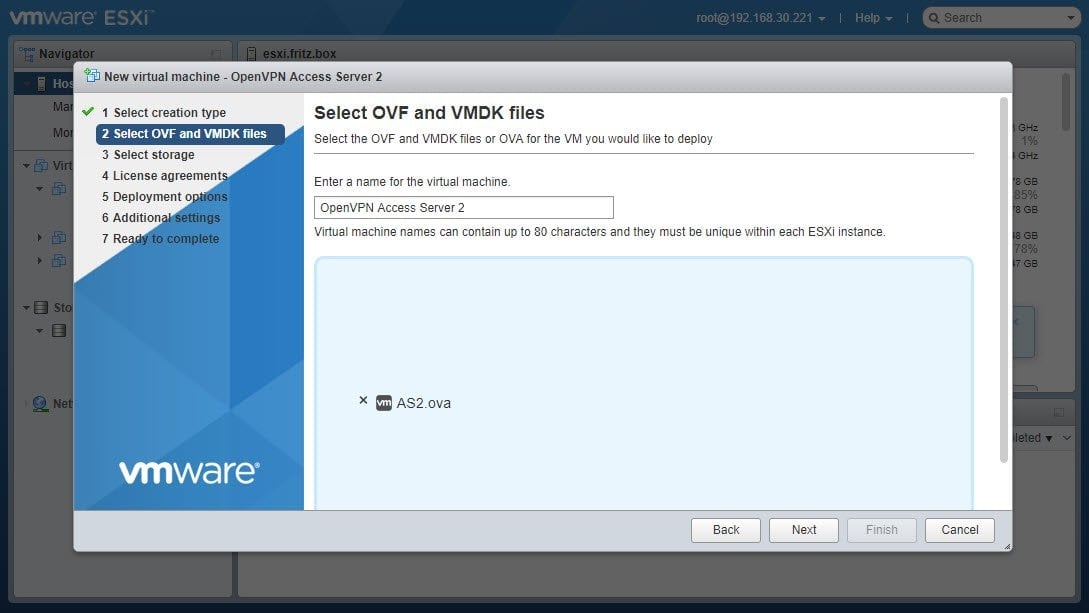
Enter a friendly name for the VM then select the OVA file and click Next:
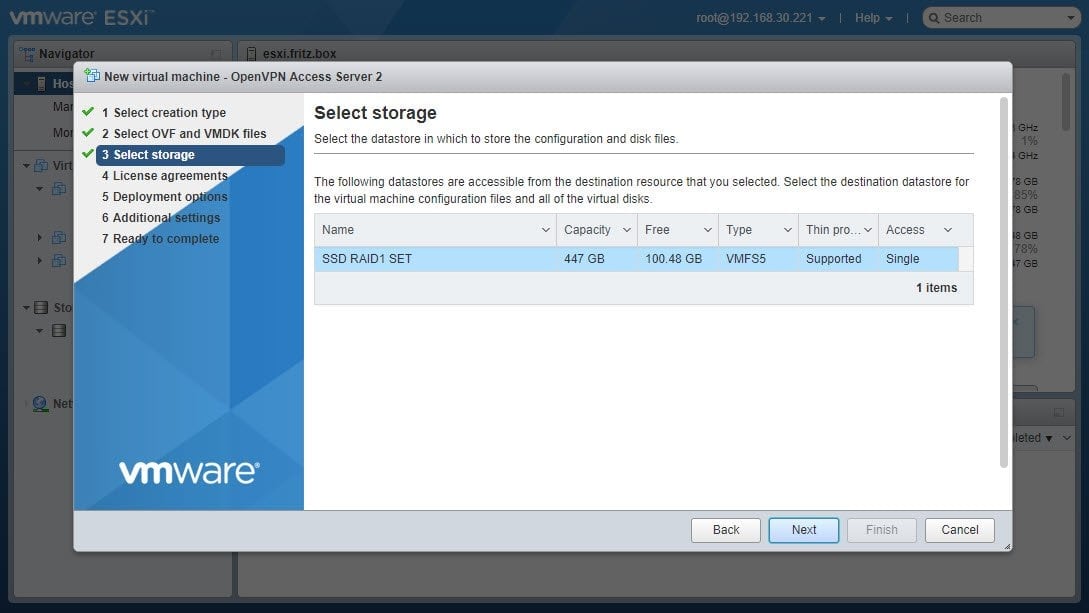
Select the datastore to deploy the appliance on and click Next:
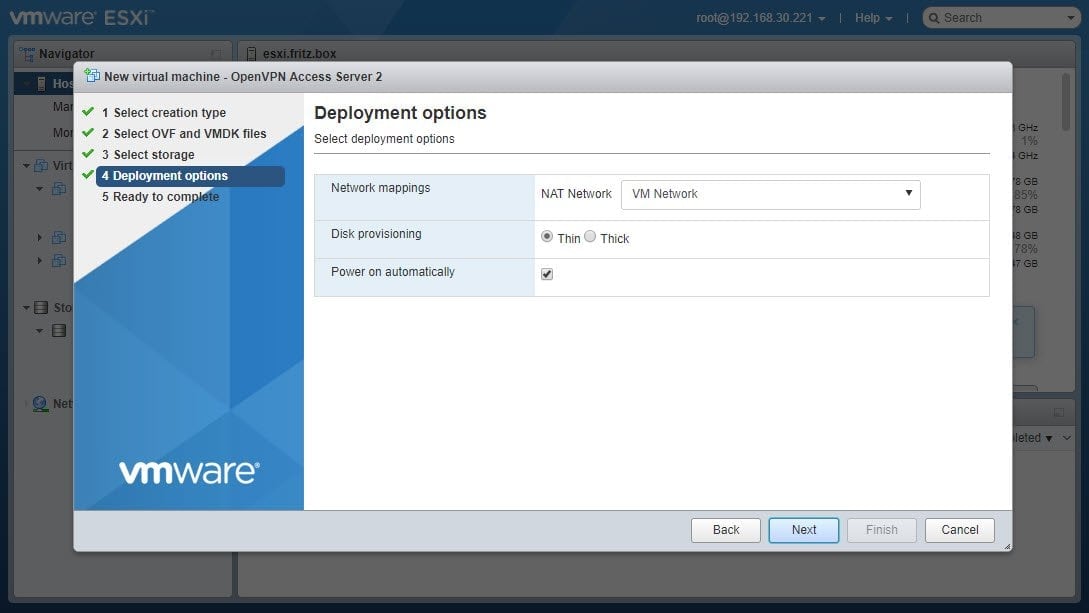
Select the VM network to connect the appliance and click Next:
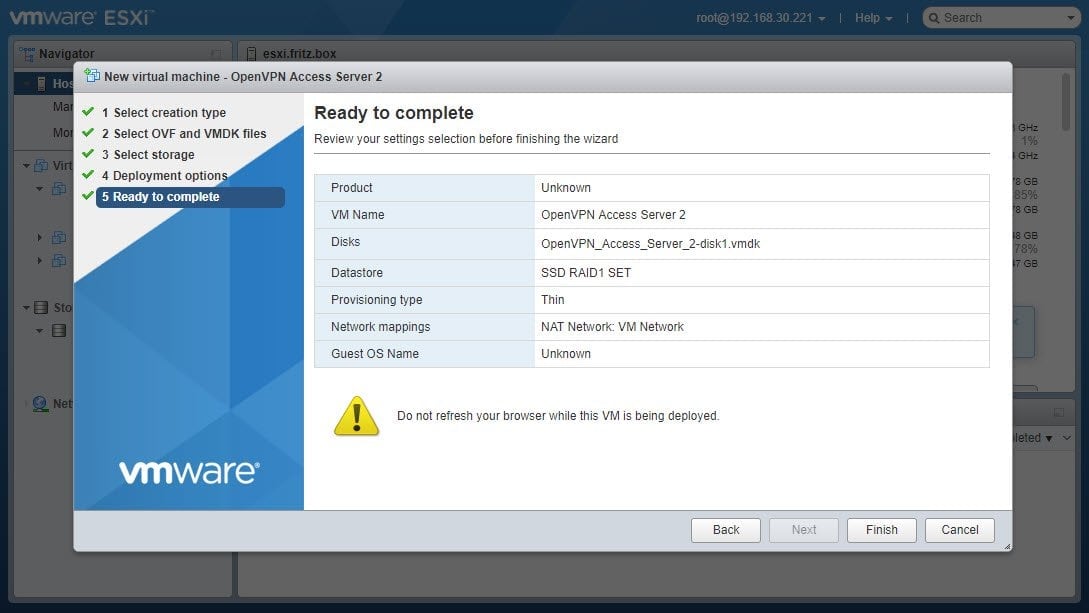
Confirm settings and click Finish to start deployment:
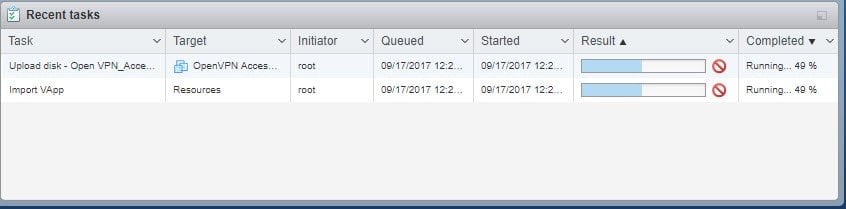
Wait for the deployment task to complete:
After finishing the task, look up the VM and open the virtual console:
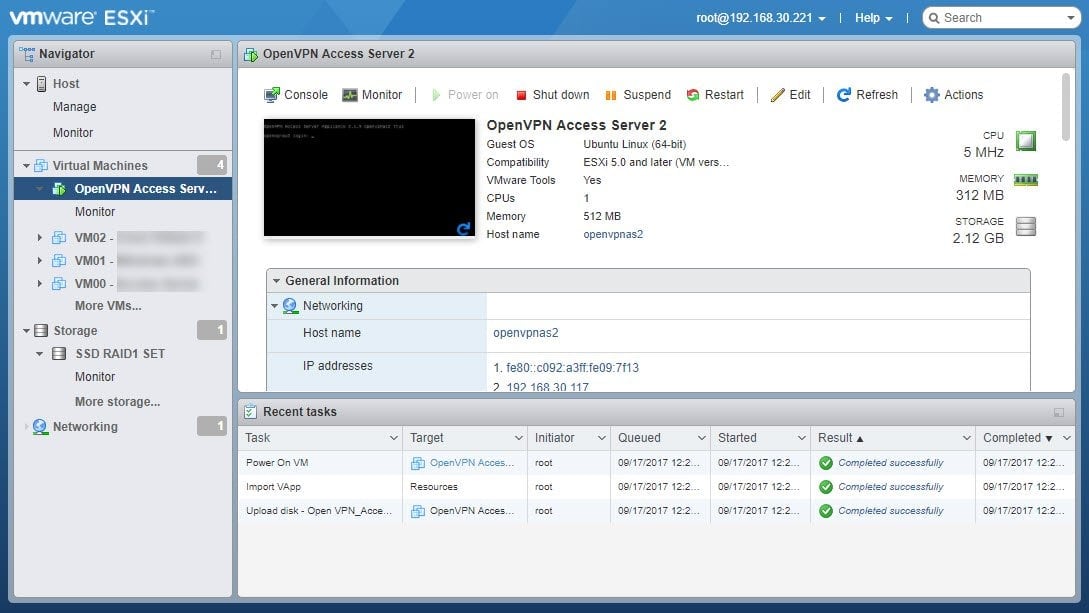
Once you've created the virtual machine, sign in to the console. You can access the appliance console directly from the ESXi web interface using these credentials:
Username: root
Password: openvpnas
After signing in, you'll immediately see the Access Server version details and the Admin Web UI URL. Wait a few seconds for the login credentials for the 'openvpn' user to appear.
Example screen output after signing in to the appliance console:
OpenVPN Access Server Appliance 3.0.2 openvpn2 tty1
Web UI: https://192.0.2.84:943/admin
To login please use the "openvpn" account with "U8zqy2CzYgAt" password.
openvpn2 login:
Open a browser and enter the Admin Web UI URL to manage your Access Server configuration.
SSH Access: If you prefer SSH to connect, you'll need to create a new user since SSH via credentials for the root user is disabled by default. Follow these steps:
Create a new user:
adduser --gecos GECOS USERNAMEReplace USERNAME with your desired username.
At the prompt, enter and confirm a password.
Add sudo privileges:
adduser USERNAME sudoYou can SSH to your Access Server virtual machine using the new user credentials.
Optional: You can configure SSH access by adding an SSH key to the root account or modifying the
sshd_configfile. For these methods, please look for online documentation.
Administrative User
For the first use of the Admin Web UI, sign in with the openvpn user created during setup. The user’s password is randomly generated and displays in the output at the completion of setup.
You can now open a browser and enter your Admin Web UI address.
Invalid Certificate
Access Server’s web interface comes with a self-signed certificate. This allows you to sign in to the Admin Web UI right away. Since it’s self-signed, it triggers an expected warning. We recommend adding your own SSL certificate in the Admin Web UI to resolve this.
By clicking through to the site, you can continue to the web interface. At the login screen, enter the username and password for your openvpn user.
To purchase and activate a subscription license for Access Server:
Sign in or create a new account on our website for the Access Server product.
Select the 14-day trial or to deploy your first Access Server.
If you select the 14-day trial:
Enter the number of VPN connections you want (10 is the default).
Complete the trial setup. Billing begins after the 14-day trial ends.
If you select to deploy your first Access Server:
A free subscription with 2 VPN connections is created automatically.
No billing information is required.
Copy your new activation key.
Sign in to your Access Server’s Admin Web UI.
Select Activation.
Select Activate License Key
Paste the activation key into the field.
Select Activate License Key.
Access Server loads the subscription.
We recommend configuring a hostname to provide a stable, user-friendly address for the Admin Web UI, Client Web UI, and VPN connections. For example: vpn.example.com. This provides an easier user experience than remembering the server's IP address.
Refer to Hostname and follow the steps.
Access Server supports using multiple authentication methods for VPN users.
Sign in to the Admin Web UI.
Navigate to Authentication.
Configure the authentication method appropriate for your organization.
Access Server supports:
Local authentication.
PAM.
RADIUS.
LDAP.
SAML.
Access Server can also use multiple authentication systems simultaneously.
Refer to Authentication System for more information.
With your VPN server configured, your users can get connected. Choose one of the options below to connect to the server.
Connection method | Procedure |
|---|---|
Download OpenVPN Connect from the Client Web UI |
|
Download a connection profile |
|
Admin distributes connection profiles or installers | Alternatively, as an admin, you can use these ways to connect your users:
|
We recommend the following steps to improve your security and detail each step below:
Change the root user's password.
Change the Admin Web UI admin user's password.
Perform software updates periodically.
Ensure you change the default root password to one of your choosing.
Connect to the appliance and sign in as the root user.
Enter this command to change the root user password:
passwd
Change the initial admin user's password for the Admin Web UI:
Sign in to the Admin Web UI.
Click Users.
Click the openvpn user.
Click Reset Password in the user details on the side.
Enter a new password, and click Reset.
The virtual appliance is delivered as a starting point that you should update to get the latest security patches and Access Server release.
Sign in to the Access Server appliance console as a root user.
Run these commands one at a time:
apt updateapt upgradeapt upgrade openvpn-asWe recommend that you reboot the appliance after installing updates to ensure they apply correctly.
Check these subsections if you need help.
We have encountered problems with using VMXNET2/3 type network interfaces so the appliance comes configured with an E1000 interface. When adding a second network interface you should make this an E1000 interface as well, to avoid unexpected reordering of network interface names.
If you receive the error message, "IndexError: list index out of range," your appliance is deployed on a network without a DHCP service to assign a valid IP address. To resolve this, set a static IP address. You can then sign into the appliance again and restart the openvpnas service with this command:
systemctl restart openvpnasThere can be a couple of reasons for this. First, ensure that the virtual network switch that the VM is attached to is correctly configured and gives access to the Internet.
If an IP is assigned to your ESXi hypervisor but not to the virtual machine you may have a firewall blocking DHCP requests, or you may be on a network that does not do DHCP. In that case, setting a static IP on the appliance may solve this problem.
In some networks, you may need to allow the ESXi hypervisor host to communicate with the network with the ability to spoof MAC addresses. That is because the virtual machines need their own MAC addresses to participate in the network, but both the ESXi hypervisor host network traffic and the virtual machine traffic may be going out through the same ESXi hypervisor host’s network card.