Network Topology Options in Access Server VPN
Understand network topology options in Access Server — covers point-to-site and site-to-site routing, NAT vs. routing modes, IP addressing, VPN subnets, and the OSI model as it applies to OpenVPN tunnels.
Network topology determines how VPN clients, private networks, cloud resources, and remote sites connect through OpenVPN Access Server. This section explains the available networking options and helps you choose the topology that best fits your deployment.
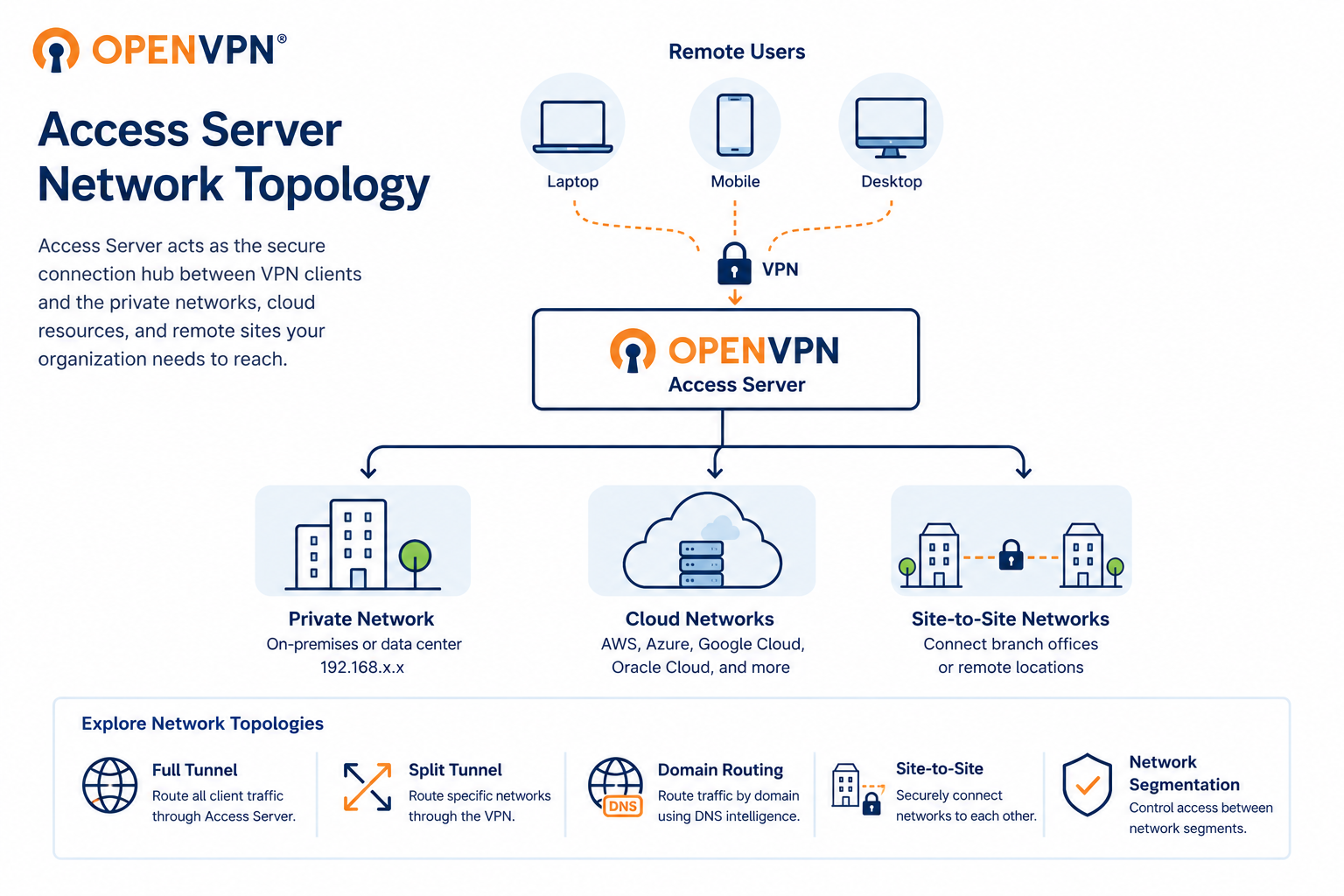
Access Server supports two primary topologies. Point-to-site connects individual remote users to a central private network — the foundation of secure remote access for distributed teams. Site-to-site connects entire networks to each other, letting offices, data centers, and cloud environments communicate as if on the same private network.
Within each topology, you control how traffic is handled, either through NAT, which simplifies routing by masking client IPs, or through routing mode, which gives clients direct network presence.
Use the sections in this topic to explore point-to-site routing, site-to-site routing, IP addressing, subnets, and the OSI model as it applies to OpenVPN tunnels.